The Steam Workshop is one of the most powerful tools available to Counter-Strike 2 players looking to improve. From aim training and spray control to prefire practice and movement mechanics, community-created workshop maps offer focused practice environments that you simply can't replicate in matchmaking. Whether you're a beginner building fundamentals or a veteran grinding for rank-up, these maps will accelerate your improvement.
Workshop maps let you isolate and practice specific skills in controlled environments. Thirty minutes of focused workshop practice can be more effective than hours of deathmatch for targeted improvement.
Table of ContentsLink to this section
- Why Workshop Maps Matter
- How to Install Workshop Maps
- Aim Botz — The Ultimate Aim Trainer
- Yprac Aim Trainer — Structured Aim Practice
- 5E_AimHub — Prefire Map Collection
- CSStats — All-in-One Practice Hub
- Recoil Master — Spray Pattern Training
- Prefire Maps by lmtlss — Angle Practice
- Movement Hub — Movement Mechanics
- Yprac Practice Maps — Utility & Map Knowledge
- crashz' Crosshair Generator v4 — Crosshair Customization
- crashz' Config Generator — Settings & Config
- Building a Practice Routine
- Closing Notes
Why Workshop Maps MatterLink to this section
Practice is the foundation of improvement in Counter-Strike 2, but not all practice is equal. Workshop maps provide focused, repeatable training environments that target specific skills—something you can't efficiently achieve in casual matches or even deathmatch.
Key benefits of workshop maps:
- Isolated skill training: Focus on one skill at a time (aim, spray, movement, utility) without the chaos of live matches
- Repeatable scenarios: Practice the same angles, positions, and situations hundreds of times until they become muscle memory
- No pressure environment: Train without worrying about ranks, teammates, or match outcomes
- Immediate feedback: Most workshop maps provide scoring, timing, or visual feedback to track your improvement
- Time efficiency: Targeted practice produces faster results than playing random matches hoping to improve
Professional CS2 players dedicate significant portions of their practice schedule to workshop maps. Many warm up with aim training maps before every match, use prefire maps to prepare for specific opponents, and refine utility lineups on practice maps before tournaments.
The Steam Workshop is free to use. All maps listed in this guide are available at no cost and can be installed in seconds directly through Steam.
How to Install Workshop MapsLink to this section
Installing workshop maps in CS2 is straightforward. There are two methods depending on whether you're browsing within the game or through your web browser.
Method 1: Subscribe via Steam Workshop (Recommended)Link to this section
- Open your web browser and navigate to the CS2 Steam Workshop
- Search for the map you want to install
- Click the green "Subscribe" button on the map's page
- Launch Counter-Strike 2 — the map will download automatically
- In CS2, go to Play → Practice → Workshop Maps
- Select the map from your list and click Go
Method 2: Subscribe via In-GameLink to this section
- Launch Counter-Strike 2
- Navigate to Play → Practice → Workshop Maps
- Click "Visit Workshop" to open the Steam overlay browser
- Browse or search for the map you want
- Click Subscribe and wait for the download to complete
- Return to the workshop maps list — the new map should appear
Console MethodLink to this section
You can also load workshop maps directly from the console after subscribing:
- Open the developer console (~)
- Type
map <workshop_map_name>and press Enter - The map will load directly
Managing Your Workshop MapsLink to this section
Over time, you may accumulate many workshop maps. To manage your subscriptions:
- Unsubscribe: Visit the map's Workshop page and click "Unsubscribe" to remove it
- Update: Workshop maps update automatically when creators push changes
- Storage: Workshop maps are stored in your Steam library and don't take significant disk space
If a workshop map doesn't appear in your CS2 map list after subscribing, restart the game. Some maps require a fresh launch to register properly.
Aim Botz — The Ultimate Aim TrainerLink to this section
Creator: Mr. uLLeticaL | Subscribe on Steam Workshop
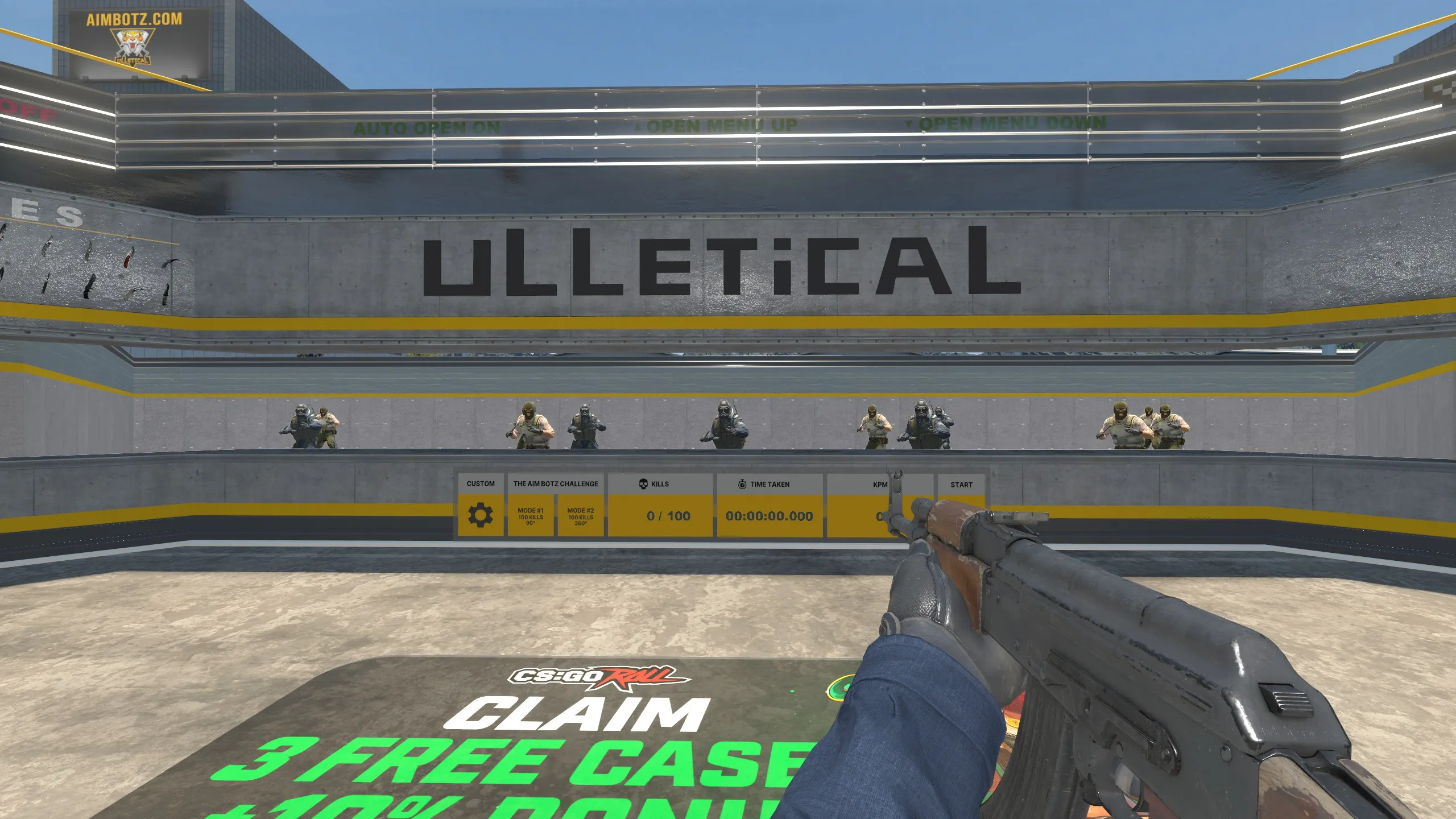
Aim Botz is the single most popular CS2 workshop map and for good reason — it's the go-to warm-up tool used by professional players worldwide. The map spawns stationary bots around you in a controlled arena, letting you practice flick shots, one-taps, and target acquisition at your own pace.
What Makes Aim Botz EssentialLink to this section
- 100 bot spawns: Bots appear in a circle around your position, providing targets at every angle
- Adjustable distance: Move walls to change engagement distance (short, medium, long range)
- Weapon selection: Instantly switch between any weapon
- Bot movement options: Toggle bot strafing for moving target practice
- Head-level practice: Bots stand at head height, building proper crosshair placement habits
- Kill counter: Track your progress with the built-in counter
How to Use Aim Botz EffectivelyLink to this section
Basic warm-up routine:
- Load Aim Botz and select the AK-47
- Set bots to stationary (default)
- Practice one-taps only — aim for the head with single shots
- Kill all 100 bots, noting your time
- Repeat with the M4A4/M4A1-S and Desert Eagle
- Track your times over days and weeks to measure improvement
Advanced drills:
- Speed challenge: Kill 100 bots as fast as possible (pro benchmark: under 60 seconds)
- Flick practice: Deliberately look away between each kill, forcing flick shots
- Strafing bots: Enable bot movement for realistic tracking practice
- Pistol only: Practice with USP-S and Glock to improve pistol round performance
- Long range: Push walls back for long-distance headshot practice
Why Pros Use Aim BotzLink to this section
Nearly every professional CS2 player uses Aim Botz as part of their daily routine. It provides:
- Consistent, repeatable practice conditions
- Quick warm-up before matches (5-10 minutes is enough)
- Measurable improvement tracking through kill times
- Weapon-specific practice for different roles
Start every CS2 session with 10-15 minutes on Aim Botz. Track your 100-kill time weekly. Consistent practice here translates directly to better aim in competitive matches.
Yprac Aim Trainer — Structured Aim PracticeLink to this section
Creator: Yesber | Subscribe on Steam Workshop
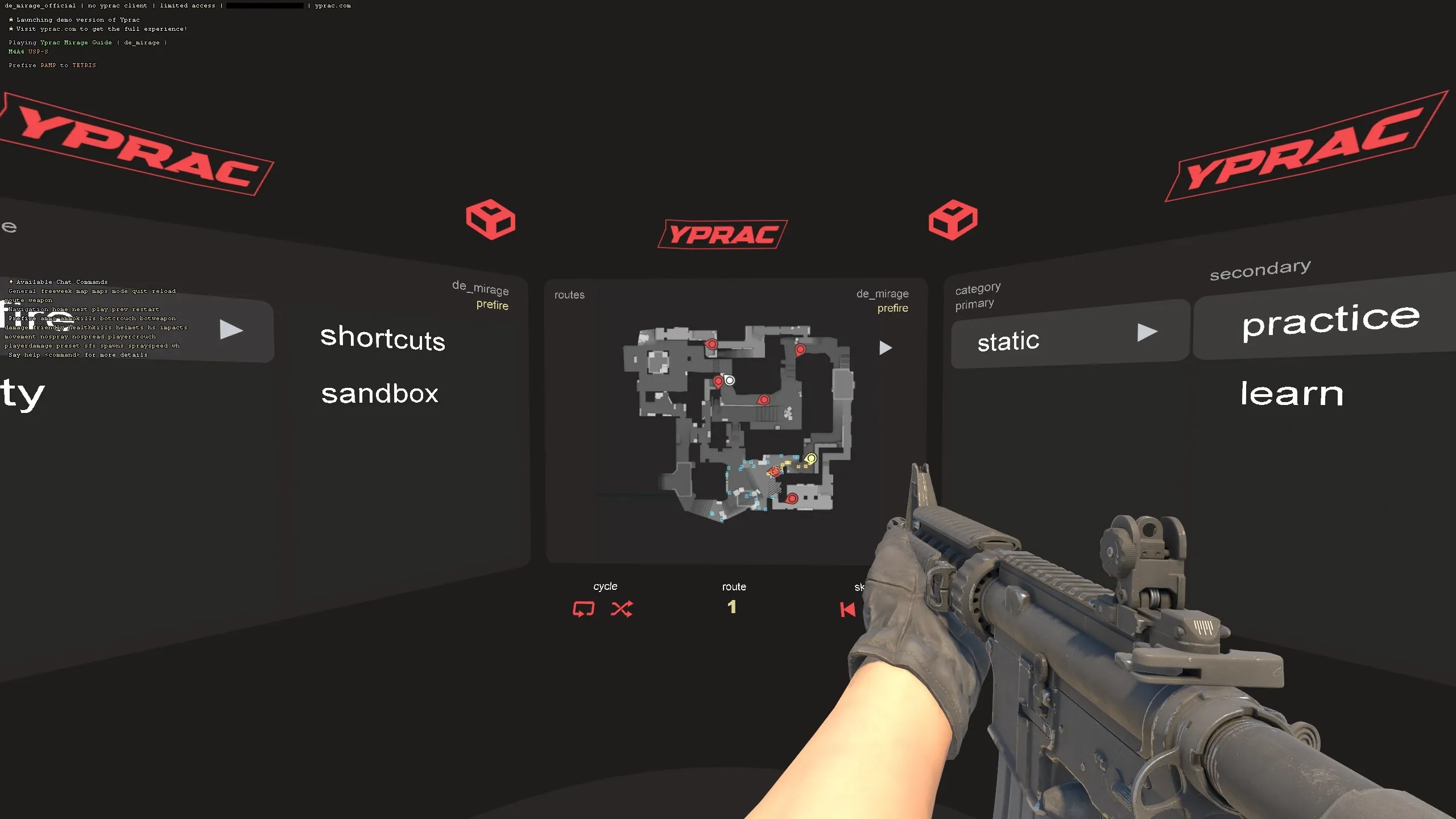
Yprac Aim Trainer takes aim practice beyond basic bot killing with structured training scenarios, scoring systems, and progressive difficulty levels. It's ideal for players who want a more methodical approach to aim improvement.
Key FeaturesLink to this section
- Multiple training modes: Flick, tracking, reaction time, and precision drills
- Difficulty scaling: Easy, medium, and hard settings adapt to your skill level
- Scoring system: Detailed stats and accuracy tracking after each session
- Timed challenges: Compete against yourself with built-in timers
- Varied target sizes: Practice against small and large targets for different skills
Training Modes ExplainedLink to this section
Flick Training:
- Targets appear at random positions around your view
- Practice snapping your crosshair to each target quickly
- Develops the explosive mouse movements needed for competitive play
Tracking Training:
- Targets move smoothly across your screen
- Keep your crosshair on the moving target as long as possible
- Essential for tracking strafing enemies in real matches
Reaction Training:
- Targets appear briefly and disappear
- Click before they vanish to score
- Builds faster reaction times for peeking and holding angles
Precision Training:
- Small targets require careful, controlled aim
- Builds fine motor control for headshots at long range
- Perfect for AWP and Deagle players
Yprac vs. Aim BotzLink to this section
Both maps serve different purposes:
| Feature | Aim Botz | Yprac Aim Trainer |
|---|---|---|
| Best for | Warm-up, one-taps | Structured improvement |
| Feedback | Kill counter | Detailed stats & scoring |
| Variety | Bot positioning | Multiple drill types |
| Difficulty | Self-adjusted | Built-in difficulty levels |
| Session length | 5-15 minutes | 15-30 minutes |
| Pro usage | Daily warm-up | Focused practice sessions |
Use Aim Botz for quick warm-ups and Yprac Aim Trainer for dedicated practice sessions. They complement each other perfectly.
5E_AimHub — Prefire Map CollectionLink to this section
Creator: 5EPlay | Subscribe on Steam Workshop
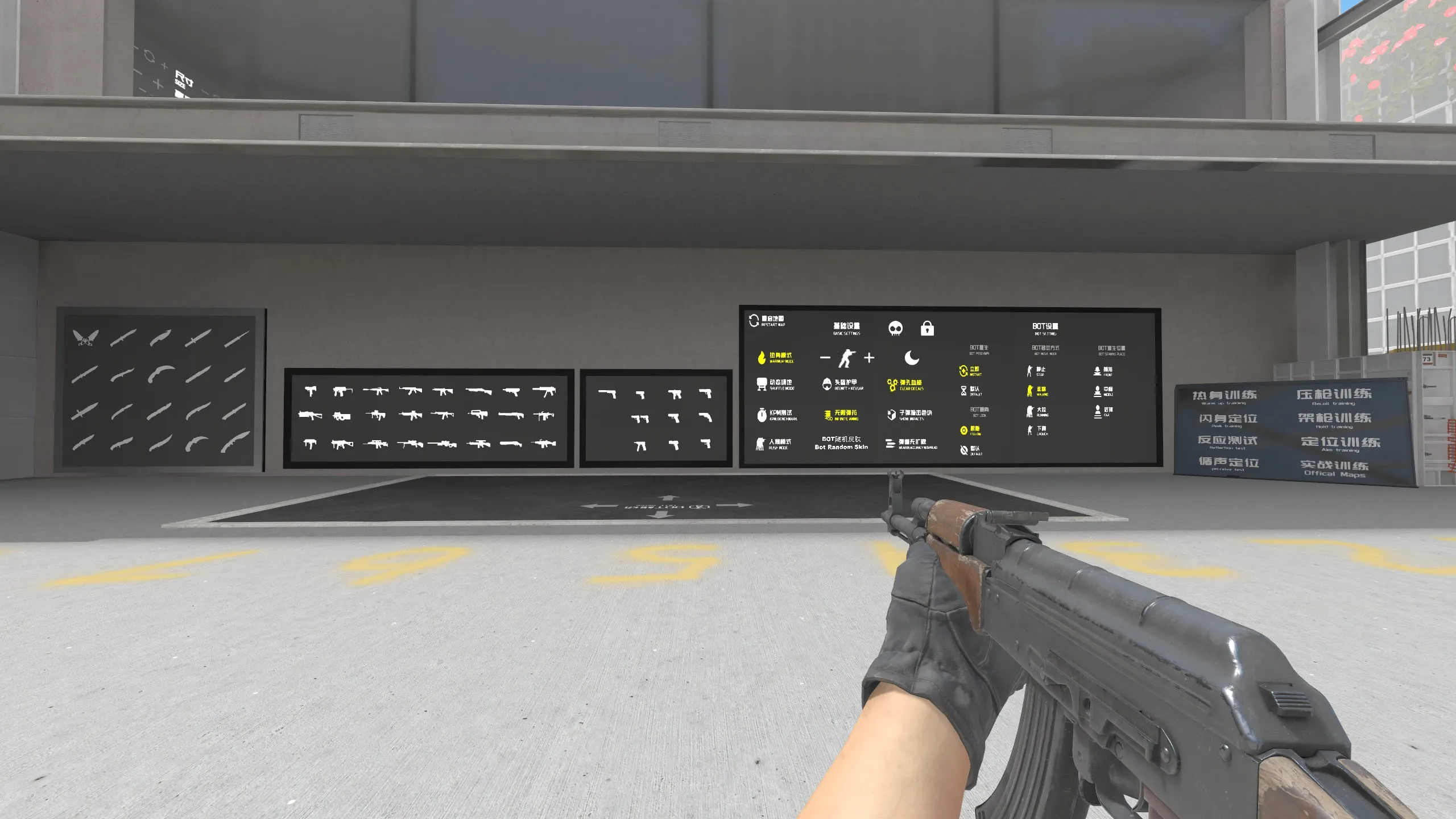
5E_AimHub is a centralized hub that connects prefire practice maps for every competitive CS2 map. Instead of subscribing to individual prefire maps, 5E_AimHub provides a single entry point where you can select any map and practice prefiring every common angle and position.
What Makes 5E_AimHub Stand OutLink to this section
- All-in-one hub: Access prefire maps for Dust 2, Mirage, Inferno, Anubis, Nuke, Ancient from a single map
- Realistic positions: Bots hold actual competitive positions and angles
- Both sides: Practice T-side entries and CT-side holds
- Progressive difficulty: Work through each position systematically
- Match preparation: Perfect for studying specific maps before competitive play
How to Use 5E_AimHubLink to this section
- Load 5E_AimHub from your workshop maps
- Select the competitive map you want to practice
- Choose your side (T or CT)
- Bots will hold realistic positions on the selected map
- Clear each area, practicing your crosshair placement and timing
- Repeat until you can prefire every position confidently
Why Prefire Practice MattersLink to this section
Prefiring — shooting at common positions as you peek — is one of the most effective habits in competitive CS2. It gives you a massive timing advantage because:
- You're shooting before the enemy even appears on your screen
- Enemies holding common angles have no reaction time advantage
- Your crosshair placement becomes automatic and precise
- You can clear positions faster during site executes and retakes
Map-Specific BenefitsLink to this section
Using 5E_AimHub before queuing a specific map is one of the best warm-up strategies:
- Before playing Mirage: Practice A-site entries, window peeks, and B apartment pushes
- Before playing Dust 2: Drill long doors, mid crosses, and B tunnel entries
- Before playing Inferno: Master banana control, apartment entries, and A-site retakes
Spend 10 minutes on the 5E_AimHub prefire map for whichever competitive map you're about to play. This targeted warm-up is more effective than generic aim training for actual match performance.
CSStats — All-in-One Practice HubLink to this section
Creator: ESLGaming | Subscribe on Steam Workshop
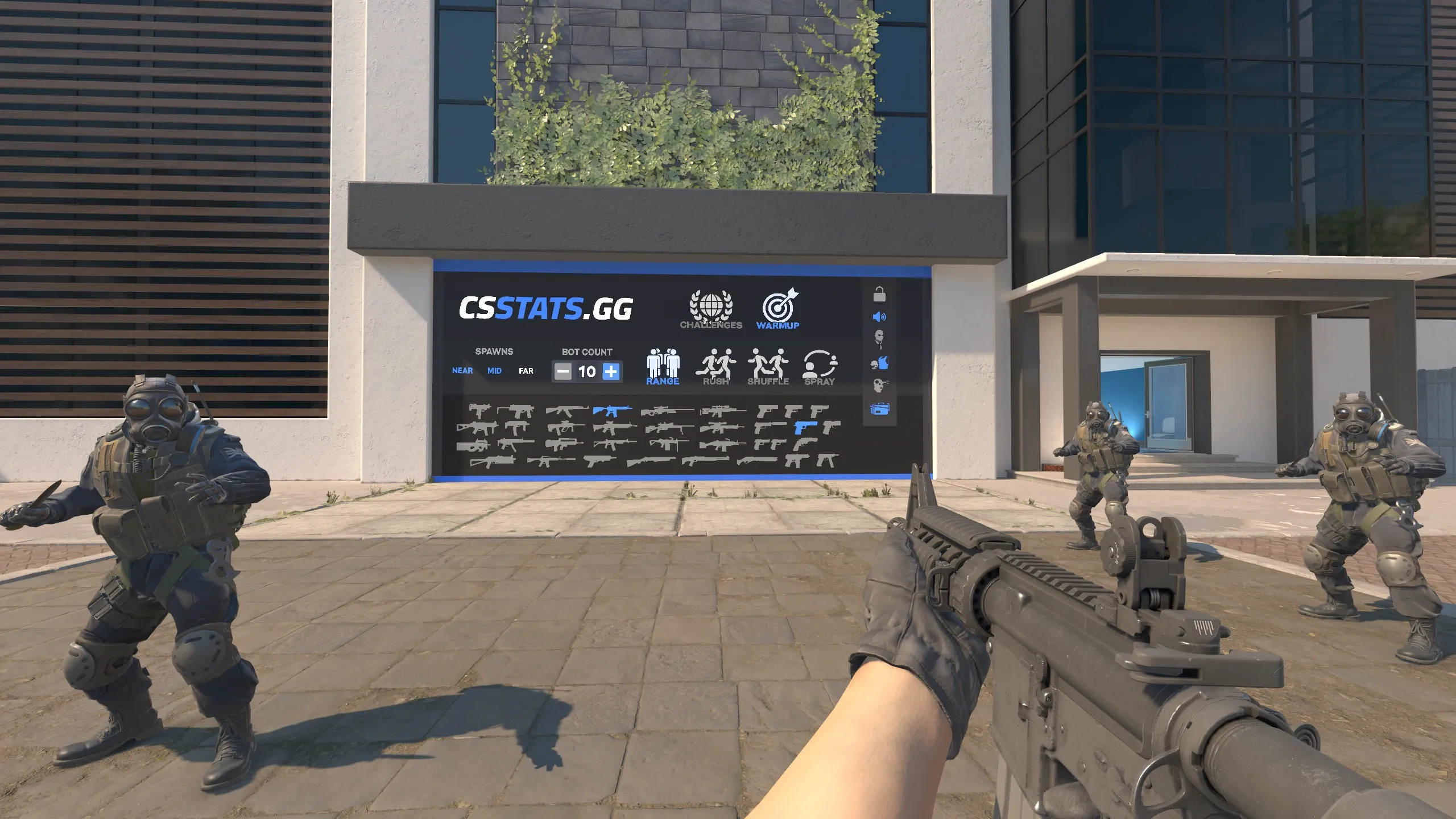
CSStats is a comprehensive practice environment created by ESL that combines multiple training tools into a single workshop map. It features prefire practice, movement drills, and a shooting range — making it one of the most versatile training maps available for CS2.
Key FeaturesLink to this section
- Prefire mode: Practice prefiring common positions on competitive maps
- Movement practice: Dedicated areas for practicing counter-strafing, bunny hopping, and movement mechanics
- Shooting range: Test weapons at various distances with accuracy tracking
- All-in-one design: No need to switch between multiple workshop maps
Prefire ModeLink to this section
CSStats' prefire training functions similarly to dedicated prefire maps but with additional polish from the ESL development team:
- Bots hold realistic competitive positions
- Clear visual indicators for progress
- Adjustable difficulty settings
- Both T and CT side practice available
Movement PracticeLink to this section
The movement practice section covers essential CS2 movement mechanics:
- Counter-strafing drills: Practice stopping accurately before shooting
- Peek practice: Work on shoulder peeking and wide peeking techniques
- Bunny hopping: Dedicated courses for building consistent bhop timing
- Air strafing: Learn to control your movement mid-air
Shooting RangeLink to this section
The built-in shooting range provides:
- Fixed targets at known distances
- Moving target tracks for tracking practice
- Weapon damage testing at various ranges
- Spray control visualization against walls
When to Use CSStatsLink to this section
CSStats works best as:
- A comprehensive warm-up tool when you want variety
- A training session when you want to work on multiple skills
- A way to test new settings (sensitivity, crosshair) in a controlled environment
- A supplement to dedicated aim training maps
CSStats is particularly useful for newer players because it combines multiple training types in one location. Instead of managing several workshop subscriptions, you get a complete practice toolkit in a single map.
Recoil Master — Spray Pattern TrainingLink to this section
Creator: Mr. uLLeticaL | Subscribe on Steam Workshop
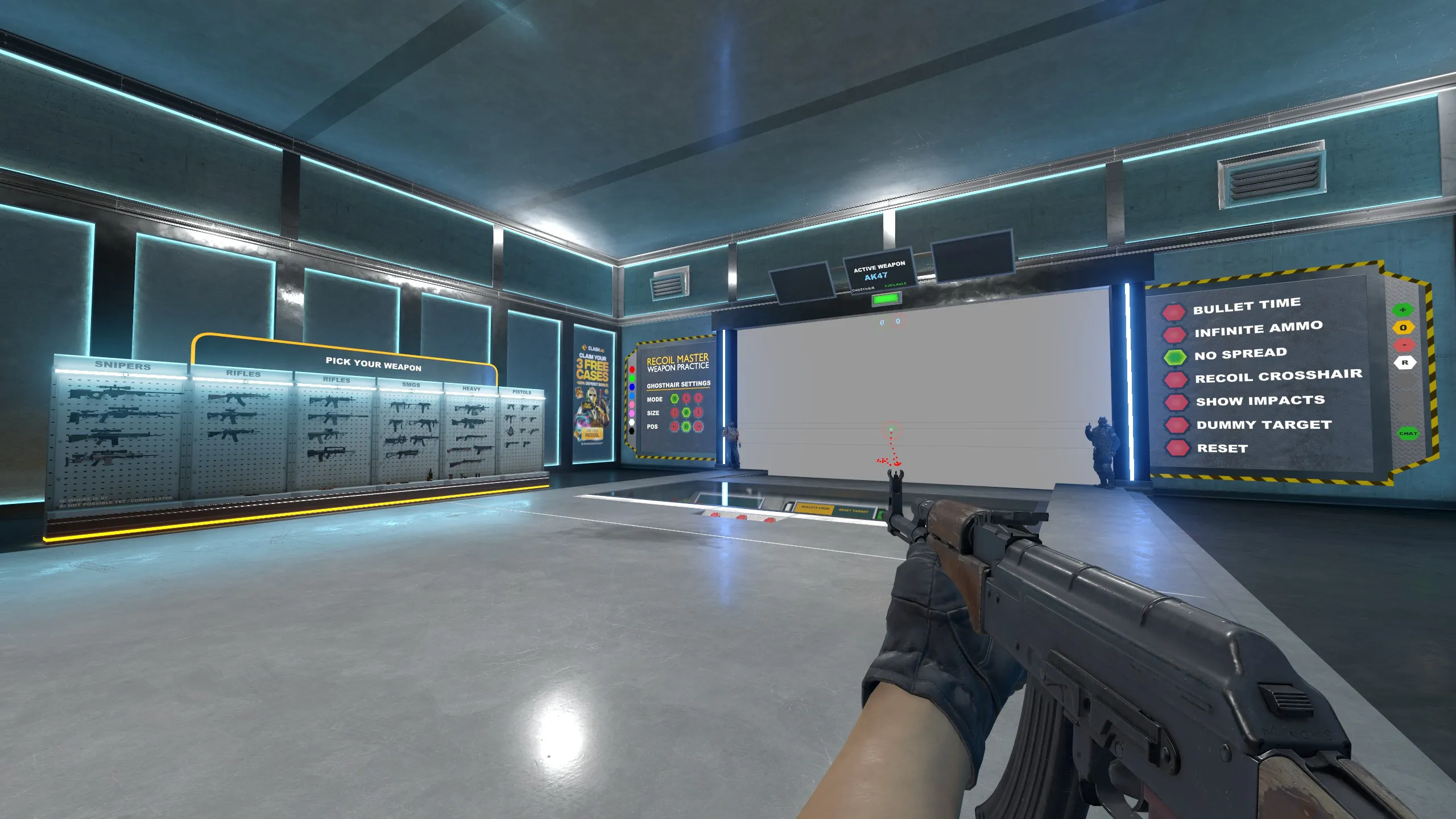
Recoil Master is the definitive spray pattern training map for CS2. From the same creator as Aim Botz (Mr. uLLeticaL), this map teaches you the exact recoil pattern for every weapon and provides real-time visual feedback as you practice controlling your spray.
What You'll LearnLink to this section
- Spray patterns: Visualize the exact recoil pattern for every automatic weapon
- Spray control: Practice pulling your mouse to counteract recoil
- Burst control: Learn optimal burst lengths for different engagement distances
- Weapon comparison: Compare spray patterns between similar weapons (M4A4 vs M4A1-S, AK-47 vs Galil)
Key FeaturesLink to this section
- Ghost crosshair: A secondary crosshair shows where your bullets actually land, revealing the gap between your aim and your spray
- Pattern overlay: Visual spray pattern displayed on the wall so you can trace the exact mouse movement needed
- Weapon selection: Instantly switch between all automatic weapons
- Distance adjustment: Practice spray control at different engagement ranges
- Progress tracking: See your accuracy improve in real-time
How to Practice Spray ControlLink to this section
Beginner approach:
- Select the AK-47 (most important spray to learn)
- Enable the spray pattern overlay on the wall
- Fire a full magazine and observe where your bullets land
- Practice pulling your mouse down and left to follow the pattern
- Repeat until your spray grouping tightens consistently
Intermediate approach:
- Disable the pattern overlay
- Spray at the wall from memory
- Enable overlay to check your accuracy
- Focus on the first 10-15 bullets (most common spray length in matches)
- Practice at medium and long range
Advanced approach:
- Practice spray transfers between two targets
- Control spray while counter-strafing
- Master the AK-47, M4A4, M4A1-S, and Galil patterns
- Achieve tight groupings at all distances
Priority Weapons to MasterLink to this section
Focus on learning spray patterns in this order:
- AK-47 — Most important weapon in CS2, complex spray pattern
- M4A4 — CT rifle, essential for holding sites
- M4A1-S — Alternative CT rifle, tighter pattern but smaller magazine
- Galil AR — Eco round rifle, useful pattern to know
- FAMAS — CT eco rifle, unique burst pattern
Pro Spray Control TipsLink to this section
- Start by controlling the first 10 bullets — that's enough for most engagements
- The vertical pull (first 8 bullets) is the most important part of any spray
- Practice at the distance you most commonly fight at on your favorite maps
- Combine spray practice with crosshair customization for optimal visual feedback
Mastering the AK-47 spray alone will significantly improve your competitive performance. Spend 10 minutes daily on Recoil Master focusing on the AK-47 until you can consistently group 15 bullets within a head-sized area at medium range.
Prefire Maps by lmtlss — Angle PracticeLink to this section
Creator: lmtlss | Subscribe on Steam Workshop
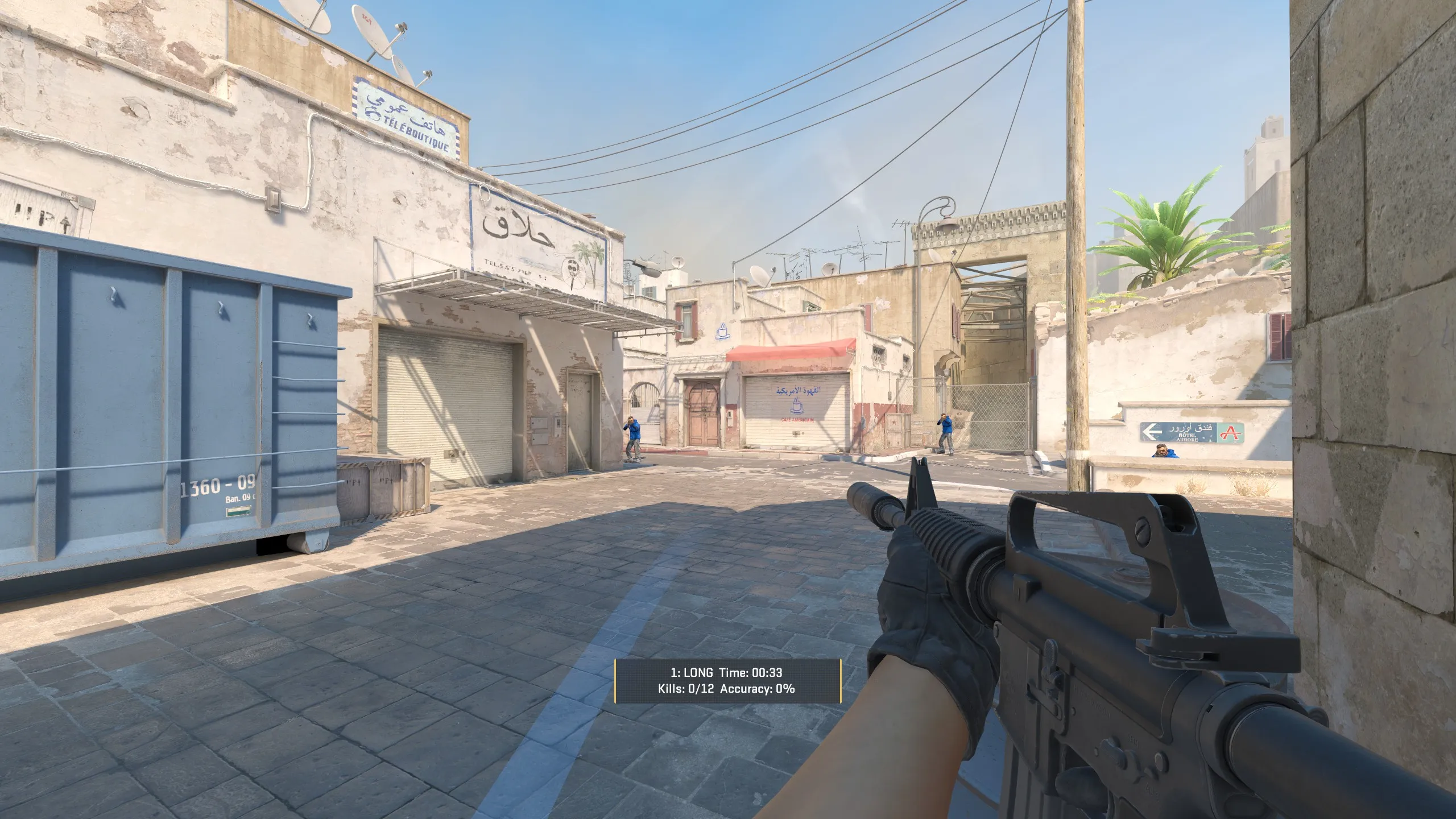
The Prefire maps by lmtlss are among the most widely used workshop maps for practicing competitive angles. Available for every active-duty map, these individual prefire maps simulate realistic bot placements that mirror common positions held in competitive matches.
Available MapsLink to this section
lmtlss provides prefire practice maps for each competitive map:
- Prefire Dust 2 — Practice long, B tunnels, mid, and site entries
- Prefire Mirage — Drill A ramp, palace, B apartments, and mid control
- Prefire Inferno — Master banana, apartments, A site entries
- Prefire Nuke — Clear ramp, outside, and site pushes
- Prefire Ancient — Learn mid, A main, and B entries
- Prefire Anubis — Practice canal, mid, and site entries
How Prefire Maps WorkLink to this section
Each prefire map follows the same structure:
- You spawn at a common entry point (e.g., T-side long on Dust 2)
- Bots hold realistic defensive positions
- You clear each angle as you would in a real match
- After clearing the area, you progress to the next zone
- The map tracks your accuracy and time
lmtlss vs. 5E_AimHubLink to this section
Both offer prefire practice, but they serve slightly different purposes:
| Feature | lmtlss Prefire Maps | 5E_AimHub |
|---|---|---|
| Structure | Individual map per location | Single hub, all maps |
| Subscribing | One subscription per map | One subscription total |
| Bot positions | Highly detailed placements | Standard competitive spots |
| Updates | Individually updated | Centrally maintained |
| Best for | Deep practice on one map | Quick practice across maps |
Training StrategyLink to this section
Before competitive queue:
- Choose the map you're about to play
- Load the corresponding prefire map
- Run through all positions 2-3 times on both T and CT sides
- Focus on crosshair placement at head height for each angle
- Queue for your match with fresh muscle memory for that map
Weekly deep practice:
- Pick your weakest map
- Spend 20-30 minutes on its prefire map
- Identify angles where you consistently miss
- Repeat those specific sections until comfortable
- Move to the next weakest map the following day
Prefire maps develop your crosshair placement and timing for specific maps more effectively than any other training method. If you only have time for one type of practice, prefire maps give the most direct competitive benefit.
Movement Hub — Movement MechanicsLink to this section
Creator: Various community contributors | Subscribe on Steam Workshop
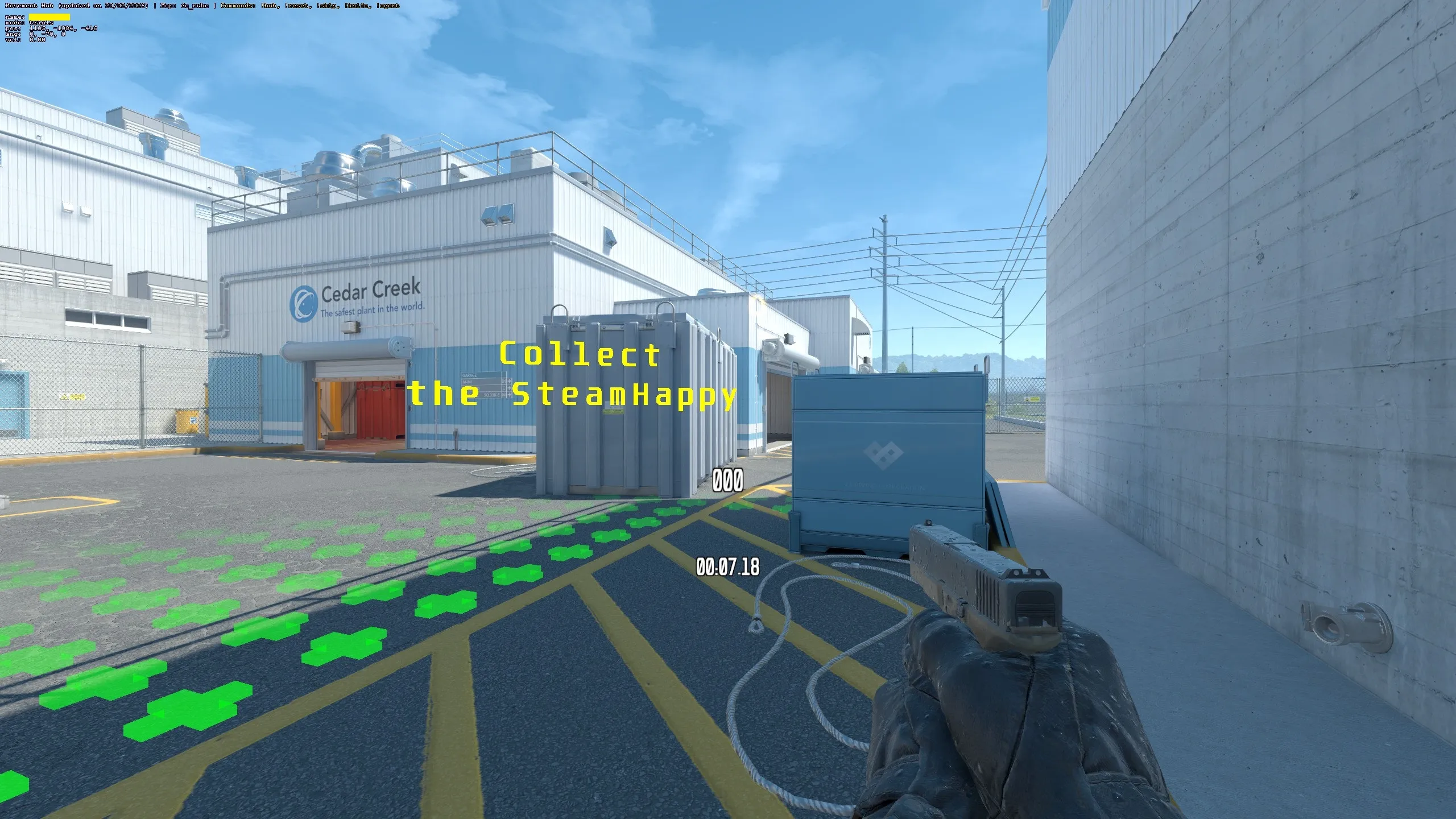
Movement Hub provides dedicated training for CS2's movement mechanics including bunny hopping, air strafing, surfing fundamentals, and counter-strafing. Movement is one of the most overlooked skills in CS2, and mastering it gives you a significant advantage in positioning, peeking, and dodging.
What You'll PracticeLink to this section
- Counter-strafing: Stop instantly when peeking to shoot accurately
- Bunny hopping: Chain jumps to maintain speed while moving
- Air strafing: Control your trajectory mid-air for better positioning
- Crouch jumping: Reach elevated positions and boost spots
- Shoulder peeking: Bait out AWP shots safely
Why Movement MattersLink to this section
Good movement separates average players from skilled competitors:
- Peeking: Proper counter-strafing lets you peek and shoot accurately, while poor movement means you're still sliding when you fire
- Speed: Maintaining momentum through bunny hops and air strafes gets you to positions faster
- Dodging: Unpredictable movement makes you harder to hit in duels
- Positioning: Air strafing lets you reach unconventional positions and surprise enemies
- Utility usage: Certain smoke and flash lineups require precise movement inputs
Movement DrillsLink to this section
Counter-strafe practice:
- Run sideways (hold A or D)
- Quickly tap the opposite key to stop
- Fire immediately — if your shots are accurate, your counter-strafe timing is correct
- Repeat until stopping and shooting feels instant and natural
Bunny hop practice:
- Set up scroll wheel jump with custom key binds:
bind "mwheeldown" "+jump" - Run forward and jump
- As you land, scroll your mouse wheel to chain the next jump
- Add A/D strafing mid-air for direction changes
- Practice maintaining speed through consecutive jumps
Shoulder peek practice:
- Stand behind a corner
- Quickly peek out and back using A/D
- Only your shoulder should be visible briefly
- Use this to bait AWP shots or gather information
Movement TipsLink to this section
- CS2's movement is slightly different from CS — practice regularly to maintain timing
- Counter-strafing is the single most impactful movement skill for competitive play
- Bunny hopping is useful but inconsistent — don't rely on it in clutch situations
- Combine movement practice with aim training for the best results
Spend 10 minutes on movement drills before your aim warm-up. Good movement makes your aim more effective by ensuring you're stationary when you need to shoot and mobile when you need to reposition.
Yprac Practice Maps — Utility & Map KnowledgeLink to this section
Creator: Yesber | Subscribe on Steam Workshop
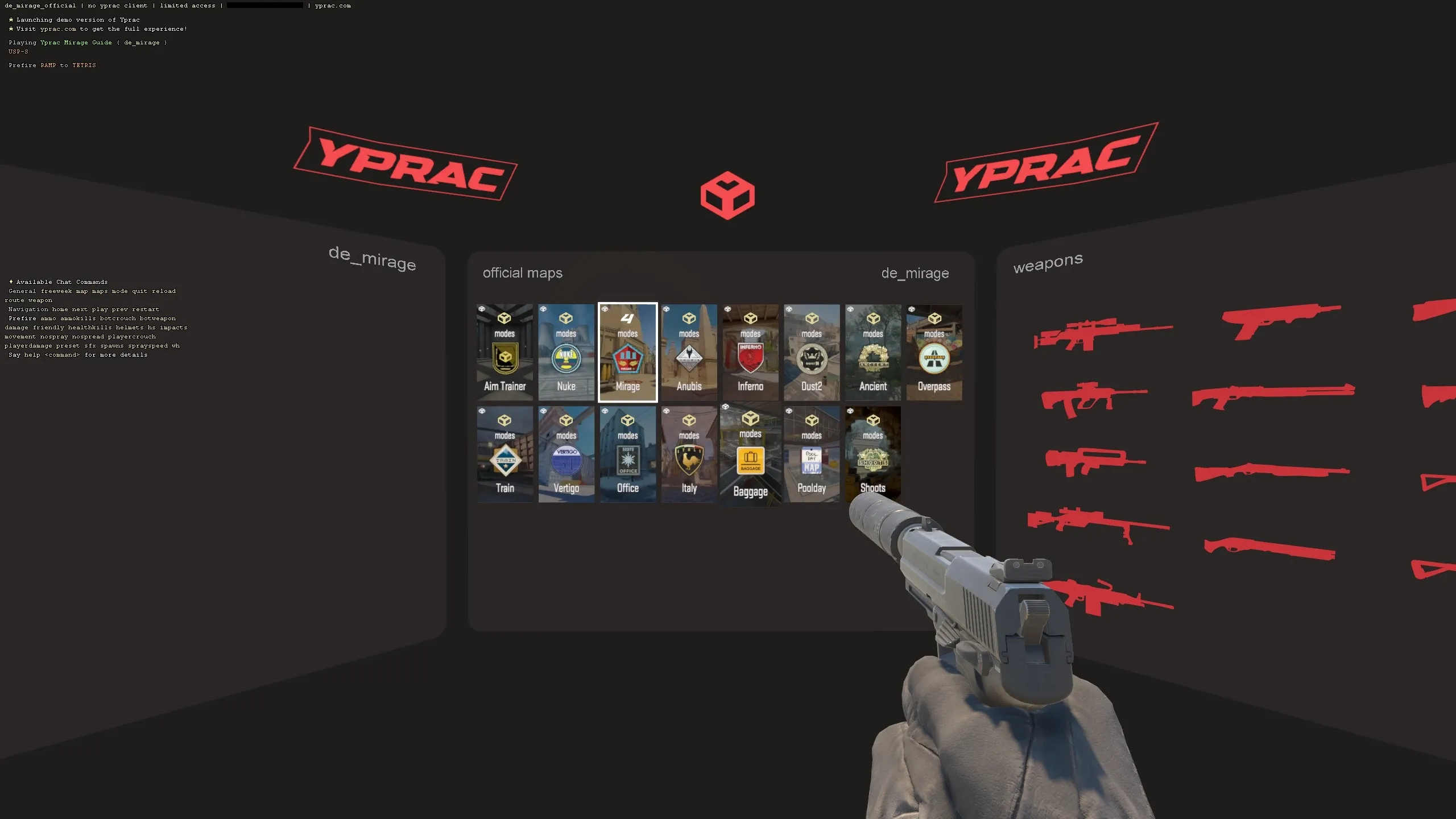
The Yprac Practice Maps series provides comprehensive map-specific practice including utility lineups, callout learning, prefire routes, and map walkthroughs. These maps are essential for anyone looking to develop deep knowledge of competitive CS2 maps.
Available Practice MapsLink to this section
Yesber maintains practice maps for all active-duty maps:
- Yprac Mirage Practice — Complete utility guide and prefire routes
- Yprac Dust 2 Practice — Smoke, flash, and molotov lineups
- Yprac Inferno Practice — Critical utility for banana and site takes
- Yprac Nuke Practice — Complex utility that makes Nuke playable
- Yprac Ancient Practice — Essential smokes and flashes
- Yprac Anubis Practice — Utility lineups for this newer map
Practice ModesLink to this section
Each Yprac Practice Map includes multiple training modes:
Utility Practice:
- Step-by-step lineup guides for smokes, flashes, molotovs, and HE grenades
- Visual indicators showing exact standing positions and crosshair placements
- Both T-side executes and CT-side defensive utility
- Advanced lineups used in professional play
Prefire Mode:
- Guided prefire routes through each area of the map
- Bots placed in common defensive positions
- Practice clearing sites efficiently
Callout Learning:
- Visual overlay showing all callout names for the map
- Essential for communicating with teammates
- Updated for current CS2 callout conventions
Map Walkthrough:
- Guided tour of the map highlighting key positions
- Timing routes showing how long it takes to reach different areas
- Important boost spots and off-angles
Using Yprac Maps for Competitive ImprovementLink to this section
Learning a new map:
- Start with the Callout mode to learn position names
- Move to Walkthrough mode to understand the map layout and timings
- Practice Utility lineups for your most-played positions
- Finish with Prefire mode to develop angle knowledge
Preparing for matches:
- Load the Yprac map for whichever map you're queuing
- Run through 3-5 key utility lineups you might need
- Practice one prefire route for each side
- Queue with fresh utility knowledge
Essential Utility to Learn FirstLink to this section
Focus on these high-impact lineups first:
- Mirage: A-site smokes (CT, jungle, stairs) and window smoke from T spawn
- Dust 2: Xbox smoke, A-site cross smoke, B door molotov
- Inferno: Banana smokes, A-site execute smokes (arch, library, site), pit molotov
- Nuke: Outside smokes, ramp flash, mini smoke
Learning just 5-10 essential utility lineups per map will dramatically improve your competitive performance. Yprac Practice Maps make learning these lineups visual and intuitive.
crashz' Crosshair Generator v4 — Crosshair CustomizationLink to this section
Creator: crashz | Subscribe on Steam Workshop
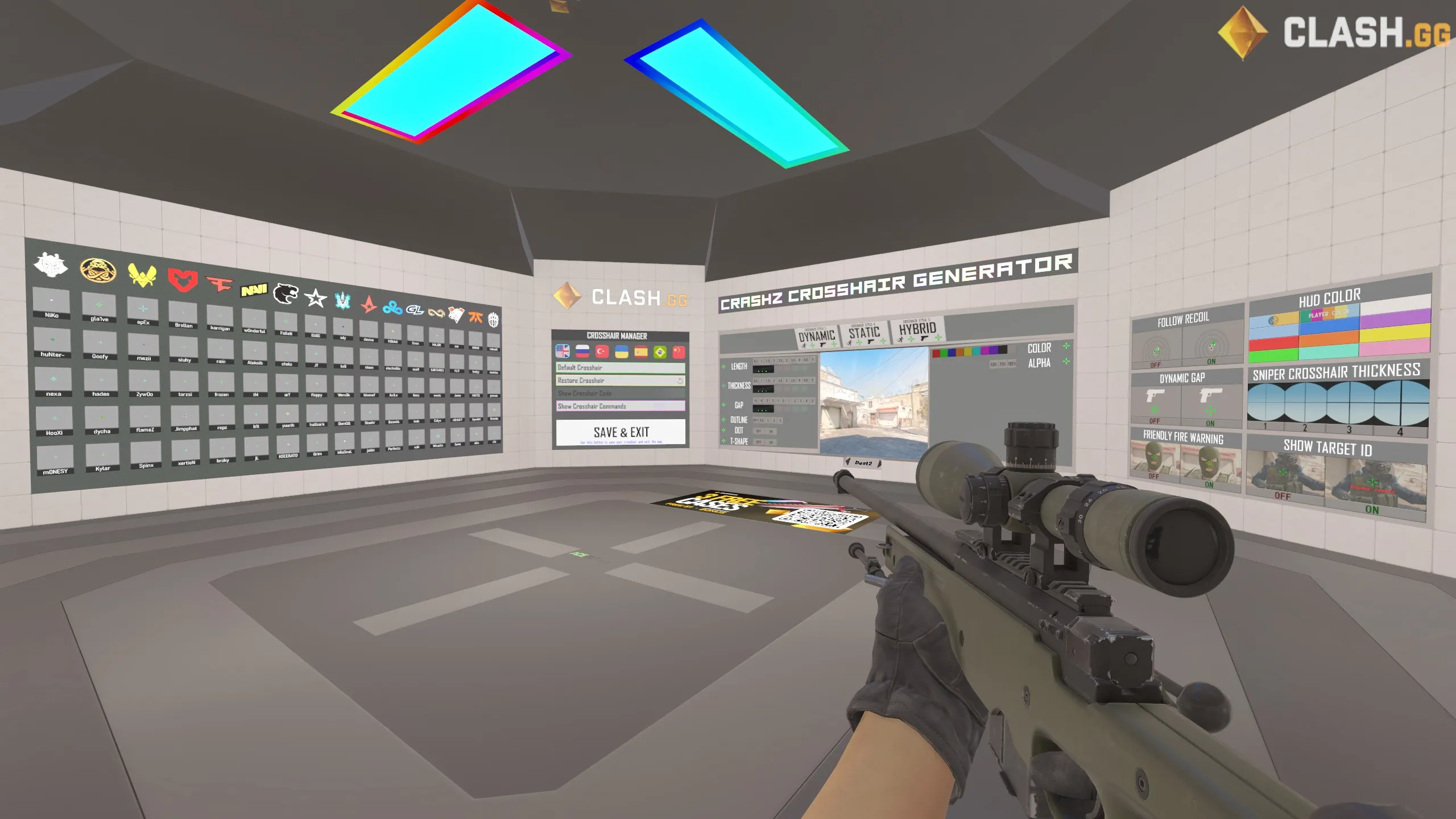
crashz' Crosshair Generator v4 is the most popular crosshair customization map in CS2, providing an interactive visual interface for creating, testing, and importing crosshair settings. While CS2 has a built-in crosshair editor, crashz' map offers additional features and a more intuitive testing environment.
What It OffersLink to this section
- Visual crosshair builder: Adjust every crosshair parameter using interactive buttons on the map
- Pro player presets: Instantly load crosshairs from hundreds of professional players
- Real-time preview: See your crosshair changes immediately against various backgrounds
- Export options: Generate share codes and console commands for your configuration
- Testing area: Built-in shooting range to test your crosshair in action
How to Use the Crosshair GeneratorLink to this section
- Load the map from your workshop maps list
- Walk up to the interactive walls to change crosshair settings
- Shoot the buttons to adjust size, gap, thickness, color, and style
- Walk to the pro player section to load any pro's crosshair instantly
- Test your crosshair in the shooting area against bots
- Your crosshair settings are automatically applied and saved
Pro Player PresetsLink to this section
The map includes crosshairs from hundreds of professional players, organized by team and player name. This is one of the fastest ways to try different professional configurations.
For an even more comprehensive database of pro player crosshairs with share codes and console commands, check our Pro Player Crosshairs page.
crashz' Map vs. In-Game EditorLink to this section
| Feature | crashz' Generator | In-Game Editor |
|---|---|---|
| Pro player presets | Hundreds of presets | None |
| Testing environment | Built-in range with bots | Static preview only |
| Visual interface | Interactive map buttons | Standard settings menu |
| Ease of use | Walk and shoot to adjust | Sliders and dropdowns |
| Export | Share codes + commands | Share codes |
| Background testing | Multiple surfaces | Limited backgrounds |
Best PracticesLink to this section
- Use crashz' map for initial crosshair exploration and trying pro presets
- Fine-tune with the in-game editor after finding a base you like
- Refer to our Crosshair Guide for detailed customization tips
- Save your final crosshair as a share code and in your autoexec.cfg
If you've never customized your crosshair, crashz' Crosshair Generator is the best place to start. The visual, interactive design makes experimentation fun and intuitive.
crashz' Config Generator — Settings & ConfigLink to this section
Creator: crashz & Misterio | Subscribe on Steam Workshop
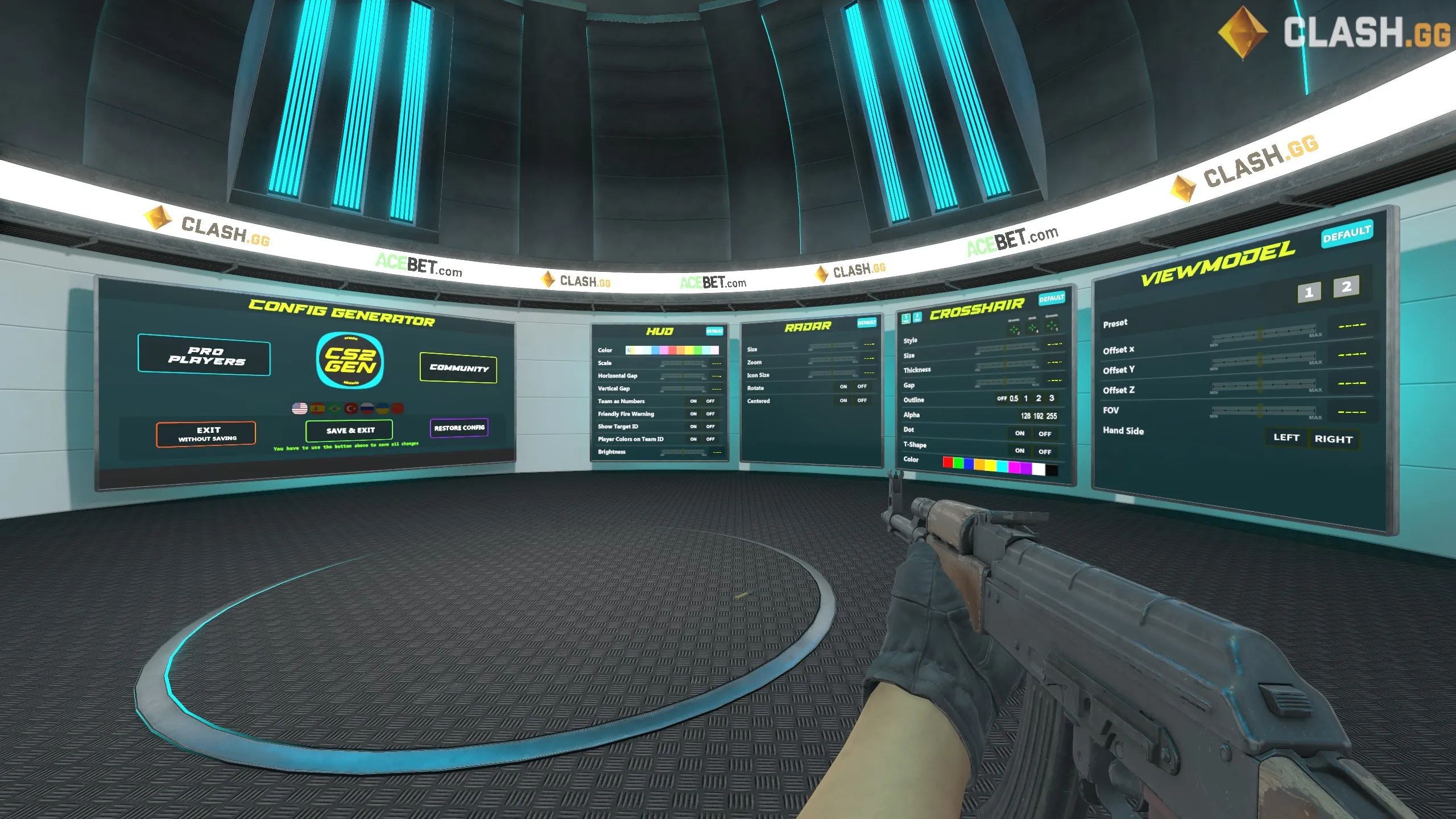
crashz' Config Generator is the companion map to the Crosshair Generator, focusing on game settings, video configurations, and key bindings. It provides an interactive way to explore and apply CS2 settings without memorizing console commands or navigating complex menus.
What You Can ConfigureLink to this section
- Video settings: Adjust resolution, graphics quality, and display options
- Audio settings: Fine-tune volume levels, HRTF, and music settings
- Key bindings: Set up custom key binds visually
- Network settings: Configure rate, interpolation, and other network commands
- Mouse settings: Adjust sensitivity, acceleration, and raw input
- HUD settings: Customize radar, HUD scale, and display elements
- Viewmodel settings: Change weapon position and field of view
How It WorksLink to this section
Similar to the Crosshair Generator, the Config Generator uses an interactive map environment:
- Load the map from your workshop maps
- Walk to the section you want to configure (video, audio, keybinds, etc.)
- Shoot buttons to change individual settings
- Settings are applied in real-time so you can see the effect immediately
- All changes persist after leaving the map
Key Settings to ExploreLink to this section
Performance settings:
- Use the video section to find the optimal graphics settings for your system
- Test different resolution and display mode combinations
- For a detailed performance optimization guide, check our CS2 Performance Guide
Keybind settings:
- Set up essential competitive keybinds
- Configure buy binds for faster purchasing
- Browse our Custom Binds collection for proven bind configurations
Launch options reference:
- The map includes information about useful launch options
- For a complete breakdown, visit our Launch Options page
Who Should Use the Config GeneratorLink to this section
- New players exploring CS2 settings for the first time
- Returning players who need to reconfigure after updates
- Anyone who prefers visual, interactive configuration over console commands
- Players troubleshooting performance or display issues
The Config Generator is especially useful for new CS2 players who are overwhelmed by the number of available settings. The visual interface makes it much easier to understand what each setting does compared to reading console command documentation.
Building a Practice RoutineLink to this section
Having access to workshop maps is only half the battle — using them effectively requires a structured practice routine. Here's how to build a practice schedule that maximizes your improvement.
Daily Warm-Up (15-20 Minutes)Link to this section
Before every competitive session:
- Aim Botz (5 min): Kill 100 bots with AK-47 and M4A4
- Recoil Master (5 min): Practice AK-47 spray for 3 minutes, M4 spray for 2 minutes
- Map-specific prefire (5-10 min): Use 5E_AimHub or lmtlss prefire maps for the map you're about to play
This routine is concise and targets the three core mechanics: aim, spray control, and crosshair placement.
Weekly Focused Practice (30-60 Minutes, 2-3x Per Week)Link to this section
Dedicate full sessions to specific skill development:
Monday — Aim & Tracking:
- Yprac Aim Trainer: Complete all training modes
- Aim Botz: Speed challenge (beat your personal best)
Wednesday — Map Knowledge & Utility:
- Yprac Practice Maps: Learn 3-5 new utility lineups
- Prefire maps: Deep practice on your weakest map
Friday — Movement & Configuration:
- Movement Hub: Counter-strafe and peek drills
- Review settings: Test any new sensitivity or crosshair adjustments
Practice Priorities by Skill LevelLink to this section
Beginner (Silver — Gold Nova):
| Priority | Map | Focus |
|---|---|---|
| 1 | Aim Botz | Basic aim fundamentals |
| 2 | Recoil Master | AK-47 and M4 spray control |
| 3 | Yprac Practice Maps | Learn basic utility |
| 4 | crashz' Crosshair Gen | Find a comfortable crosshair |
Intermediate (Master Guardian — DMG):
| Priority | Map | Focus |
|---|---|---|
| 1 | Prefire Maps | Crosshair placement |
| 2 | Recoil Master | All rifle sprays |
| 3 | Movement Hub | Counter-strafing |
| 4 | Yprac Practice | Advanced utility lineups |
Advanced (Eagle — Global):
| Priority | Map | Focus |
|---|---|---|
| 1 | 5E_AimHub / lmtlss | Map-specific prefire perfection |
| 2 | Yprac Practice | Advanced utility & executes |
| 3 | Movement Hub | Advanced movement techniques |
| 4 | Yprac Aim Trainer | Tracking & flick refinement |
Tracking Your ProgressLink to this section
Measure improvement objectively:
- Aim Botz: Record your 100-kill time weekly
- Recoil Master: Note spray grouping size at fixed distance
- Prefire maps: Track completion time and accuracy percentage
- Competitive stats: Monitor headshot percentage and K/D ratio over time
Consistency beats intensity. Fifteen minutes of daily workshop practice will improve your game more than sporadic two-hour sessions. Build the habit, and the results will follow.
Closing NotesLink to this section
The Steam Workshop is one of the greatest advantages CS2 players have for improving their skills. These 10 maps cover every major aspect of competitive Counter-Strike — from raw aim and spray control to map knowledge, movement mechanics, and configuration optimization.
Quick Reference:
| Map | Best For | Session Length | Frequency |
|---|---|---|---|
| Aim Botz | Aim warm-up | 5-10 min | Every session |
| Yprac Aim Trainer | Structured aim practice | 15-30 min | 2-3x per week |
| 5E_AimHub | Map-specific prefire | 10-15 min | Before each game |
| CSStats | All-round practice | 15-20 min | 2-3x per week |
| Recoil Master | Spray control | 5-10 min | Every session |
| Prefire Maps (lmtlss) | Deep prefire practice | 15-20 min | 2-3x per week |
| Movement Hub | Movement mechanics | 10-15 min | 2-3x per week |
| Yprac Practice Maps | Utility & map knowledge | 20-30 min | 1-2x per week |
| crashz' Crosshair Gen | Crosshair customization | As needed | When adjusting |
| crashz' Config Gen | Settings & configuration | As needed | When adjusting |
Getting Started:
If you're new to workshop maps, start with just two: Aim Botz for warm-up and Recoil Master for spray control. Once those are part of your routine, gradually add prefire maps and utility practice.
For Competitive Players:
The most impactful maps for rank improvement are the prefire maps (5E_AimHub or lmtlss) and Yprac Practice Maps. Knowing exactly where to aim on each map and having utility memorized creates the biggest competitive advantages beyond raw aim.
Keep Exploring:
The Steam Workshop is constantly updated with new maps and tools. Check back regularly for new training maps and updated versions of your favorites.
For more ways to improve your CS2 gameplay, explore our console commands database, set up competitive custom binds, learn map callouts, or dive into our other guides covering everything from crosshair optimization to performance tuning.
Subscribe to all 10 maps in this guide, build a consistent practice routine, and you'll see measurable improvement in your competitive performance. The maps are free, the practice is focused, and the results speak for themselves. Good luck and have fun training!